
◎
One screen, everything
Lights, plugs, cameras, locks, sensors, thermostats, energy, calendars, weather, sports and news - together, and fast.
 CasaTorch
Get early access
CasaTorch
Get early access
One beautiful screen for your whole house - lights, cameras, energy, calendars, and a live 3D model of your home with power flowing to everything that's on. Private by design: it runs on your own network.
Built for a tablet on the wall, a phone in your pocket and the TV in the living room. Arrange it any way you like - every tile resizes and shows more as it grows.
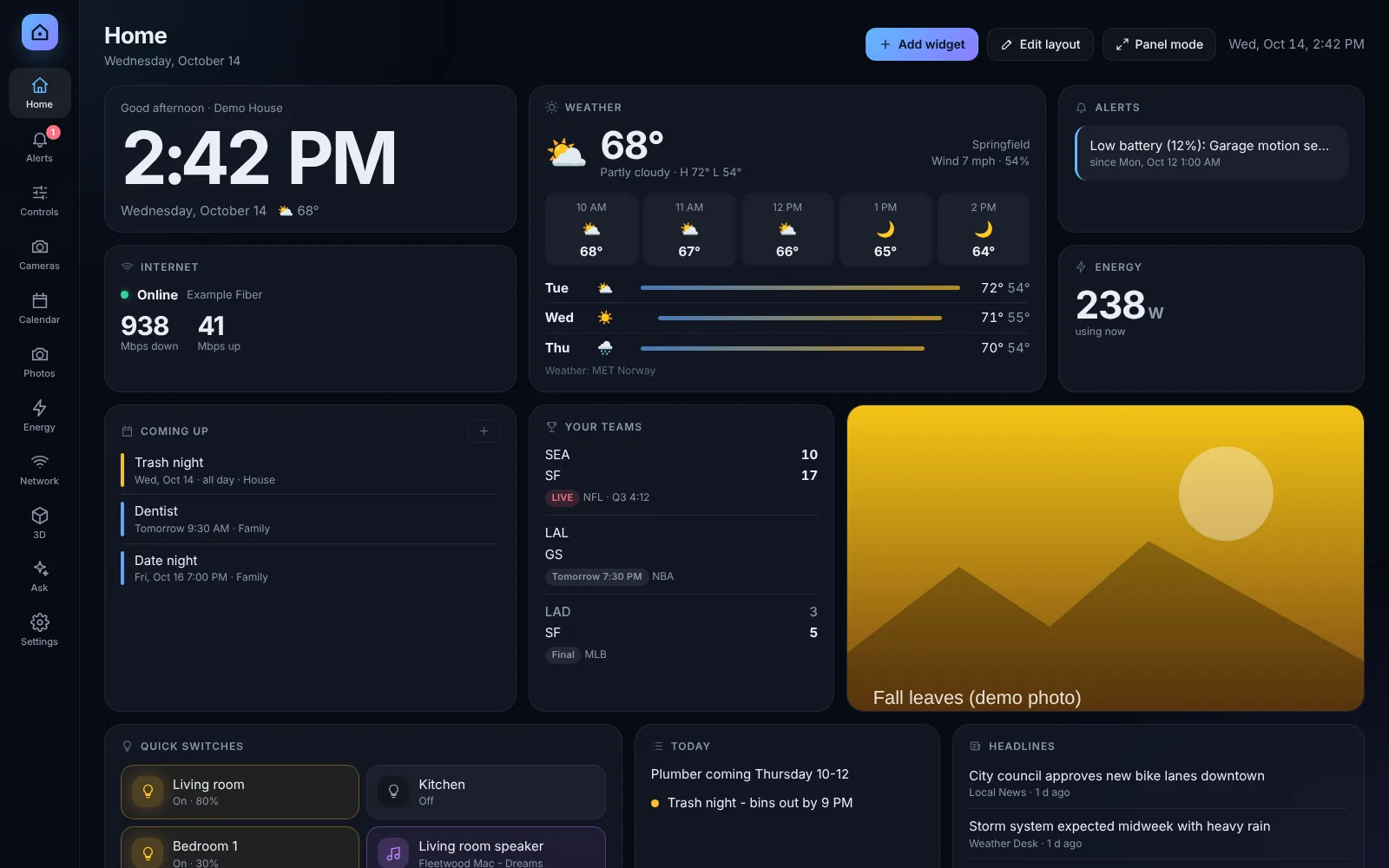
Lights, plugs, cameras, locks, sensors, thermostats, energy, calendars, weather, sports and news - together, and fast.
Scan your floors with an iPhone or draw them in minutes. Tap any room to control it; watch power flow to what's on.
"Is anything left on downstairs?" "How much did we use today?" Plain-English answers - and it can switch things for you.
Live watts per plug and per room, what's drawing the most right now, and what today is costing you.
Light and dark, your colours, menus on any side, rename anything, wall-panel mode with an always-on status bar.
Runs on your own hardware. Accounts for everyone in the house, two-step sign-in, and a security log - no cloud required.


A small, silent Raspberry Pi 5 with CasaTorch already installed. Plug it into your router, open it on any screen in the house, and answer a few friendly questions - it finds your devices and connects Home Assistant for you.
Product names are trademarks of their owners. CasaTorch is not affiliated with or endorsed by them.
Use the Box, or install CasaTorch on a computer, NAS or Pi you already have.
Setup asks in plain words, finds your devices, and only asks for what it can't find.
Arrange the screen, scan or draw your home in 3D, invite the family, mount a tablet.
CasaTorch is in the works and in private testing now. Pre-orders for the Box and Pro open soon - join the list and you'll hear first, with launch pricing.
No. CasaTorch works on its own with popular devices. If you have Home Assistant, everything in it shows up automatically - and there's a Home Assistant add-on and dashboard card.
No. CasaTorch runs on your hardware and keeps your data there. Online services (weather, AI) are only used if you turn them on.
No. A LiDAR iPhone or iPad Pro gives the most realistic scan, but you can also draw your floors, or trace over a picture of your floor plan.
The assistant is part of Pro. If you connect Claude or ChatGPT, their usage is billed by them; you can also run a free model on your own network.
Everyone gets their own sign-in with roles, two-step sign-in, session control and a security log. Locks, garage doors and alarms are never opened or disarmed automatically.
Pre-orders open soon. Get the news, the beta and launch pricing.